ZX Spectrum guide
How ZX Spectrum Tape Loading Worked
LOAD "", press Play, and wait five minutes of screeching. Here is what was actually happening, and why those loading screens became an art form.
In short
- The Spectrum stored programs on ordinary audio cassettes, as a sound signal.
- You typed
LOAD ""(J then two quotation marks on a 48K) and pressed Play on the tape recorder. - The steady tone and stripes were the "pilot"; the noisy part and thin stripes were the data itself.
- The standard loader ran at roughly 1,500 bits a second, so a 48K game took around five minutes.
- Many games used custom "turbo" loaders, for speed, style or copy protection.
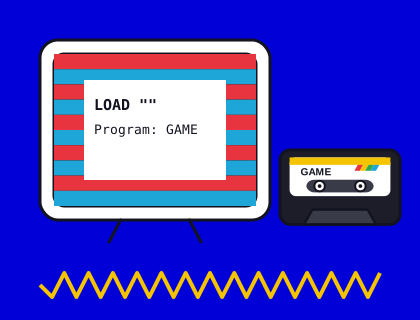
LOAD "": what you typed
On a 48K Spectrum, each key had several keywords printed on or around it, and in the right mode one key press entered a whole word. Pressing J gave LOAD; then you held Symbol Shift and pressed P twice for the two quotation marks, and pressed Enter. An empty name between the quotes meant "load the next program you find". On the 128K you could simply choose Tape Loader from the start-up menu.
Then you pressed Play on your cassette recorder and waited. Volume and tone settings mattered, and many players learned the exact position of the volume knob that worked for their machine.
What were the noises and stripes?
A Spectrum tape is a series of blocks, and each block is sent the same way:
- The pilot tone. A steady, high note lasting a couple of seconds, so the Spectrum could lock on to the signal. The border showed broad red and cyan stripes.
- The sync pulse. A short marker meaning "data starts now".
- The data. The bytes themselves, sent as pulses of two different lengths for 0 and 1. It sounded like a harsh screech, and the border flickered with thin blue and yellow stripes.
The border stripes weren't decoration: the loader changed the border colour each time it detected an edge in the signal, so you could see the tape being read. If the stripes looked wrong, something was.
Headers, loading screens and the code
A typical game tape held several blocks. First, a short header gave the name of the next block and its type and length; the Spectrum printed it as "Program: name" or "Bytes: name". Then came a small BASIC loader program, which set up the machine and loaded the rest. Often the next block was a loading screen, 6,912 bytes that loaded straight into screen memory, so the picture appeared line by line while you waited. Finally came the game code.
Loading screens became an art form in their own right, with publishers commissioning artists to make the four or five minutes of waiting feel like part of the game. Many players remember the loading screens as clearly as the games.
Why was it so slow?
The standard Spectrum ROM loader sent a 0 as two short pulses and a 1 as two longer ones, at speeds an ordinary cassette recorder could reliably record. That works out at roughly 1,500 bits a second on average, depending on the data. A full 48K of memory took four to five minutes, and longer if it failed and you had to rewind and try again.
Turbo loaders and copy protection
Because the loading routine is just a program, games could replace it with their own. Turbo loaders used shorter pulses to load faster. Others added counters, music, animated loading screens or games to play while you waited. Many were also copy protection: a tape recorded with unusual timings was much harder to copy with a double-deck stereo or to transfer with a copying program.
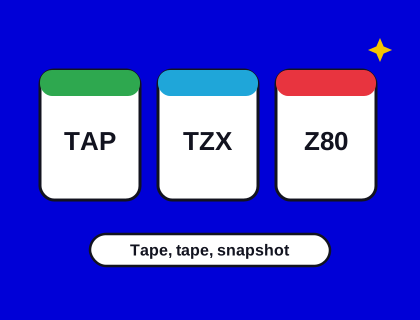
That's why simple TAP files can't describe every original tape, and why the TZX format was invented: our file formats guide explains the difference.
Try SAVE and LOAD yourself
You can hear the whole process in Speccy. Type a one-line program, such as 10 PRINT "HELLO", then SAVE "test" and press Enter. The Spectrum asks you to start the tape and press any key, then plays the pilot tone and data with the stripes in the border. VERIFY "test" checks a saved copy against the program in memory, which is what careful owners did before rewinding over anything important.
Why did tapes fail to load?
- Volume too low or too high, or the tone control in the wrong position.
- Head alignment: a tape recorded on a deck with its heads at a slightly different angle.
- Worn or stretched tape, especially on budget cassettes played many times.
- Interference from the TV or other equipment nearby.
"R Tape loading error" became one of the Spectrum's best-known messages. The cure was to rewind, fiddle with the volume and try again.
Loading tapes today
Old cassettes can still be loaded into an original Spectrum, or played into a computer and turned into a TZX or TAP file. Speccy loads tape files the authentic way, stripes and all, or quickly if you'd rather. See how to load your own tape files, or watch the loading in any of our games by loading its tape on a real machine.