ZX Spectrum guide
ZX Spectrum Joysticks: Kempston, Sinclair and Cursor Explained
The Spectrum had no joystick port, so a handful of interfaces fought it out. Here is what Kempston, Sinclair and Cursor mean, and how to use a joystick today.
In short
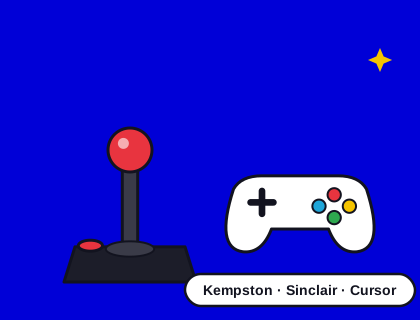
- The original Spectrum has no joystick port; you plugged an interface into the expansion slot at the back.
- Kempston was the most widely supported interface, read from its own input port.
- Sinclair (Interface 2) joysticks pretend to be the number keys: 6 to 0 or 1 to 5.
- Cursor interfaces pretend to be keys 5, 6, 7, 8 and 0.
- Most joysticks used the 9-pin Atari-style plug. Today, a USB gamepad works in emulators and modern Spectrums.
Why the Spectrum needed a joystick interface
To keep the price down, the Spectrum came with just a keyboard. The edge connector on the back gave access to the processor's signals, and several companies sold small boxes that plugged in there and provided a joystick socket. Each worked differently, and each game had to be written to support it. That's why so many Spectrum games open with a menu asking "Keyboard, Kempston, Sinclair or Cursor?".
The three main standards
| Interface | How the game reads it | Directions and fire |
|---|---|---|
| Kempston | Its own input port (port 31) | One bit each for right, left, down, up and fire |
| Sinclair (Interface 2) | Looks like number keys | Left stick: 1 left, 2 right, 3 down, 4 up, 5 fire. Right stick: 6 left, 7 right, 8 down, 9 up, 0 fire |
| Cursor (Protek, AGF and others) | Looks like the cursor keys | 5 left, 6 down, 7 up, 8 right, 0 fire |
Kempston
The Kempston interface, from Kempston Micro Electronics, gave the joystick its own input port, so a game could read it at any time without scanning the keyboard. It was simple and cheap, and it became the de facto standard: if a game supports only one joystick, it's probably Kempston.
Sinclair Interface 2
Sinclair's own Interface 2 (1983) added two joystick sockets and a slot for ROM cartridges. Its joysticks simply pressed number keys, so any game with redefinable keys could use them. The Amstrad +2, +2A and +3 have two built-in "Sinclair" joystick sockets, but with a non-standard wiring, so ordinary Atari-style joysticks need an adapter, or Amstrad's own joystick, to work there.
Cursor
Cursor interfaces made the joystick press 5, 6, 7, 8 and 0, the keys with the arrows printed above them. Plenty of games already used those keys, so it worked without special support.
The clash between Sinclair and Cursor
Keys 6, 7 and 8 appear in both the Sinclair and Cursor layouts, but they mean different directions: in Sinclair, 6 is left and 8 is down; in Cursor, 6 is down and 8 is right. A game that reads both can get confused, and a pad mapped to the wrong one moves the wrong way. Kempston has no such problem, which is one reason Speccy maps gamepads to Kempston. Our Apocalypso! notes this exact quirk.
Setting up a joystick in a game
- Load the game and look for a menu or an options screen. Most ask you to choose Keyboard, Kempston, Sinclair or Cursor; the number keys usually select.
- Pick the option that matches your interface. In Speccy and on most modern setups, that's Kempston.
- If the game only offers keys, look for redefine keys. You can then set the keys to the Sinclair or Cursor layout, and a Sinclair or Cursor joystick will work.
- Test all four directions and fire before you start a serious game.
Troubleshooting
- The character moves on its own. The game may be reading a Kempston port with no interface attached. Choose Keyboard in its menu, or plug in the interface.
- Up and down move sideways. The pad is set to Cursor but the game expects Sinclair, or the other way round. Switch the mapping.
- Nothing happens in the browser. Press a button on the gamepad once the page has loaded; browsers only report a gamepad after it's been used.
- Fire doesn't jump. Some games, including Apocalypso!, jump only with fire, never with up.
Which joystick should I buy for a real Spectrum?
- For a 48K or Spectrum+, get a Kempston-compatible interface and any 9-pin Atari-style joystick. New interfaces are still made by enthusiasts.
- For a +2, +2A or +3, look for an Amstrad SJS joystick or an adapter for standard joysticks.
- Classic sticks such as the Quickshot range and the Competition Pro are widely available used, and modern remakes exist.
Check our shop for joysticks and interfaces, and our guide to buying an original Spectrum for the computer itself.
Using a gamepad today
In Speccy, our browser emulator, plug in a USB gamepad or pair a Bluetooth one and press a button: it's mapped to a Kempston joystick. On a phone, the on-screen pad does the same job. The Spectrum from Retro Games Ltd takes USB controllers and can map them to Kempston, Sinclair or Cursor, and the Spectrum Next has two 9-pin joystick ports built in. More on controls in how to play Spectrum games online.
Questions and answers
What is a Kempston joystick?
Kempston was the most widely supported Spectrum joystick interface. It plugged into the back of the computer and gave the joystick its own input port. Speccy maps gamepads to Kempston. See Spectrum joysticks explained.
Can I use a modern gamepad with Spectrum games?
Yes. In Speccy, plug in a USB gamepad or pair a Bluetooth one and press a button; it acts as a Kempston joystick. The Spectrum from Retro Games Ltd also accepts USB controllers.