ZX Spectrum guide
The Spectrum by Retro Games Ltd: A Buyer's Guide
Retro Games Ltd's full-size remake of the ZX Spectrum plugs into a modern TV. Here is what it does well, what it doesn't, and how it compares with the alternatives.
In short
- The Spectrum is a full-size replica of the 48K by Retro Games Ltd, released in the UK in November 2024.
- It emulates the Spectrum in software, plugs into a TV by HDMI and comes with 48 built-in games.
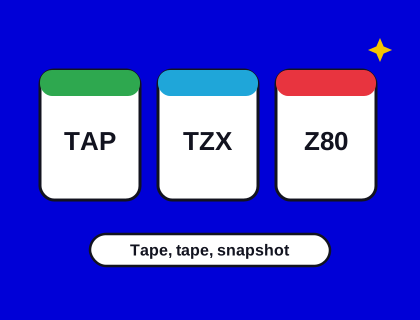
- It plays 16K, 48K and 128K games, and loads your own TAP and TZX files from a USB stick.
- No joystick is included; most people will want a USB controller.
- It suits people who want the feel of the real keyboard on a modern TV without the fuss of old hardware.
What is The Spectrum?
The Spectrum is a modern machine built to look and feel like the original ZX Spectrum 48K, including the rubber keys. It comes from Retro Games Ltd, the company behind similar remakes of the Commodore 64, the Amiga and the Atari 400. Inside, it isn't a 1980s computer: it runs an emulator on modern hardware. That lets it plug into a TV by HDMI, take USB controllers and load games from a USB stick.
Notice the name: it's "The Spectrum", not "ZX Spectrum". The original Sinclair name and trademarks belong to others, so modern remakes are careful about naming.
What you get
- A full-size, working keyboard computer in the style of the 48K.
- 48 games built in, from 1980s classics to more recent titles, some in 128K versions.
- HDMI output at 720p, with a choice of 50 Hz or 60 Hz, an optional CRT-style filter and border settings.
- USB ports for controllers and a USB stick.
- A USB power cable and an HDMI cable. There's no mains adaptor, so you'll need a USB power supply.
Reviewers praised the feel of the keyboard. You can also go to BASIC and program it, as you could the original.
Loading your own games
Copy TAP or TZX files to a FAT32-formatted USB stick and plug it in. TAP files start up quickly, while TZX files play through a full loading routine. Some reviewers found that TZX files didn't always load, so if a game has both, try the TAP first. Our file formats guide explains why the two behave differently.
Our own games are available as TAP files, so they're a good fit. In the meantime you can play them all here in the arcade.
Controllers and joysticks
The Spectrum doesn't come with a controller. Many standard USB gamepads work, and Retro Games Ltd sells its own joystick and gamepad. You can set the controller to act as a Kempston, Sinclair or Cursor joystick, and remap buttons. If those words are new, our joystick guide explains them.
Saving
Each game has save slots, so you can stop and come back. Reviewers found the saving process a little clunky, because you leave the game for the menu to do it.
Getting started on day one
- Plug the HDMI cable into your TV and the USB power cable into a USB power supply.
- Set the video to 50 Hz if your TV supports it: Spectrum games were written for British 50 Hz televisions and run at their proper speed.
- Plug in a USB controller and choose how it should act: Kempston suits most games.
- Pick a game from the carousel and play. Try the keyboard on a text adventure to get a feel for the rubber keys.
Putting your own games on a USB stick
- Format a USB stick as FAT32 on your computer.
- Copy your TAP or TZX files onto it. Keep the file names short and simple.
- Plug it into The Spectrum and choose the media option from the menu to browse the files.
- If a TZX file won't load, look for a TAP version of the same game, or try the game in our browser emulator first to check the file itself works.
What's not in the box
- A controller. Budget for a USB gamepad or joystick if you want to play action games comfortably.
- A mains adaptor. You'll need a USB power supply; a phone charger often works, but check it delivers enough power.
- A long HDMI cable. Reviewers found the supplied one short, so you may want a longer cable if your TV is across the room.
The Spectrum vs the alternatives
| The Spectrum | Spectrum Next | Original Spectrum | Browser | |
|---|---|---|---|---|
| How it works | Software emulation | FPGA hardware recreation | The real thing | Software emulation |
| Connects to a modern TV | Yes, HDMI | Yes, HDMI or VGA | Needs RF or a video modification | Your device's screen |
| Real keyboard | Yes | Yes | Yes | No |
| Loads your own games | USB stick (TAP, TZX) | SD card | Cassette | Open a file |
| Best for | Plug-and-play nostalgia | Enthusiasts and developers | Collectors and purists | Playing anywhere, free |
Should you buy one?
Buy The Spectrum if you want the look and feel of the 48K on your TV, with a set of games ready to go, and you'd rather not deal with old hardware. Add a USB controller. Choose the Spectrum Next instead if you want a more powerful machine with real hardware-level compatibility and new software of its own, or an original Spectrum if authenticity matters most.
Prices change often and vary between retailers, so check current prices in our shop. And if you only want to play, you don't need to buy anything: play Spectrum games online here for free.
Questions and answers
Does The Spectrum from Retro Games Ltd play my own games?
Yes. It loads TAP and TZX files from a FAT32-formatted USB stick. Reviewers found TZX support less reliable, so use a TAP where one exists. See our guide to The Spectrum.