ZX Spectrum guide
The Best ZX Spectrum Emulators for PC, Mac and Mobile
Want to play Spectrum games outside the browser, or need disk support and debugging tools? These are the emulators Spectrum fans and developers use.
In short
- A browser emulator, like ours, is the quickest way to play: nothing to install.
- Fuse is a free, accurate, open-source emulator for Linux, macOS and Windows.
- ZEsarUX emulates a huge range of Spectrum models, clones and add-ons, and has strong debugging tools.
- Spectaculator is a polished Windows emulator; Retro Virtual Machine is a slick option on several platforms.
- For developers, pick an emulator with a debugger, accurate timing and support for your target model.
What makes a good Spectrum emulator?
- Accuracy. Real Spectrums have exact timings, including "contention", where the screen hardware slows the processor down. Accurate emulators reproduce it, so effects and loaders work as they should.
- Models. At least the 48K and 128K; ideally the +2A and +3 with disk support, and clones if you need them.
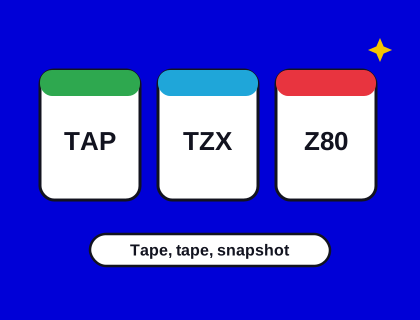
- Formats. TAP, TZX and Z80 as a minimum. See our file formats guide.
- Joysticks and keyboards. Gamepad mapping and sensible handling of the Spectrum's Symbol Shift key on a modern keyboard.
- Tools. Save states, rewind, fast loading and, for developers, a debugger.
The emulators worth knowing
Fuse
The Free Unix Spectrum Emulator has been developed by volunteers for many years and runs on Linux, macOS and Windows, among others. It's known for accuracy, supports a wide range of models and peripherals, and includes a debugger. It's a sensible default for anyone who wants a free desktop emulator.
ZEsarUX
ZEsarUX is an open-source emulator with an enormous list of supported machines, from the ZX80 to the Spectrum Next and many clones, plus a lot of add-on hardware. Its debugging and development features make it popular with people writing new games.
Spectaculator
Spectaculator is a long-standing commercial Windows emulator with a polished interface and good accuracy. It's a comfortable choice if you want something that just works on Windows.
Retro Virtual Machine
Retro Virtual Machine emulates the Spectrum and the Amstrad CPC with a modern, attractive interface, and is available on several desktop platforms.
Browser emulators
Browser emulators run in a web page. They're ideal for playing quickly, on any device, including phones and tablets. Speccy, our own emulator, which runs the Spectrum Arcade, emulates the 48K and 128K with contention, the AY sound chip, save states, rewind and gamepads, and loads your own tape and snapshot files. See how to play Spectrum games online.
Emulators change. Check each project's own website for the current version and supported platforms before you download, and only download from the official site.
Setting up a desktop emulator
- Download it from the project's official website, never from a download portal that wraps it in an installer of its own.
- Choose the model you want to emulate, usually a 48K or 128K. Most emulators include the Sinclair ROMs, so they start straight away.
- Turn on fast loading if you don't want to wait for tapes, or leave it off for the authentic experience.
- Set up your joystick: map your gamepad to Kempston for most games. See our joystick guide.
- Open a tape or snapshot from the File menu, or drag it onto the window.
Typing on a modern keyboard
The Spectrum's keyboard had keywords on its keys and two shift keys: Caps Shift and Symbol Shift. Emulators usually map Caps Shift to your left Shift key and Symbol Shift to Ctrl or right Shift, and many translate punctuation for you, so typing a quotation mark gives you Symbol Shift and P. If you're typing BASIC on a 48K, remember that keywords are entered with single key presses: J gives LOAD, for example. Our guide to tape loading walks through LOAD "".
Which emulator should I choose?
| If you want to... | Try |
|---|---|
| Play straight away, on any device | A browser emulator, such as ours |
| A free, accurate desktop emulator | Fuse |
| Emulate an unusual model, clone or add-on | ZEsarUX |
| A polished Windows experience | Spectaculator |
| Write and debug a new game | Fuse or ZEsarUX, plus your assembler |
| Play +3 disk games | A desktop emulator with +3 support |
Emulators on phones and tablets
Android and iOS both have Spectrum emulators in their app stores, of varying quality, and some include on-screen keyboards and joysticks designed for touch. Before installing one, check reviews and what it asks permission to do. For most people, a browser emulator is simpler on a phone: there's nothing to install, and it works the same on Android and iPhone. Our arcade shows a touch pad automatically on a touch screen.
Do emulators need the Spectrum ROM?
Yes: the ROM contains the Spectrum's BASIC and its tape loader, and most software uses it. Amstrad, which owns the Spectrum ROMs, has allowed them to be distributed for use with emulators, as long as they aren't sold. That's why most emulators, including ours, include them.
Is emulation legal?
Emulators themselves are legal. The games are what need care: many classic games are still in copyright. Play games you own, free homebrew titles, or games whose rights holders allow free distribution. And if you'd like real hardware instead, see The Spectrum, the Spectrum Next or buying an original.