ZX Spectrum guide
How to Play ZX Spectrum Games Online
You can play ZX Spectrum games in any modern web browser, on a computer, tablet or phone. Here is how it works, how to control the games, and what you can legally play.
In short
- A browser emulator recreates a ZX Spectrum in software, so games run exactly as on the original machine.
- Nothing needs installing: open a game, press Play, and it starts in a few seconds.
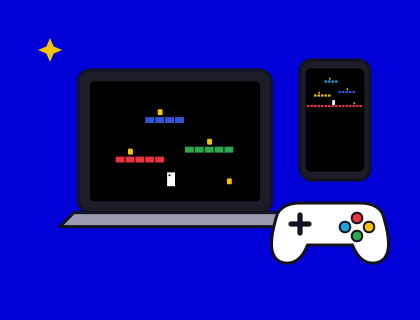
- You can play with the keyboard, a USB or Bluetooth gamepad, or an on-screen pad on a phone.
- Our emulator, Speccy, runs as a 48K or a 128K, saves your progress in your browser and keeps your high scores.
- Our seven games are originals, free to play. For anything else, play files you own or that the author lets you share.
What does "playing a Spectrum game online" actually mean?
A ZX Spectrum game is a program for the Spectrum's Z80 processor, not for your laptop or phone. To run it you need an emulator: a program that behaves exactly like the Spectrum's processor, memory, screen, keyboard and sound. A browser emulator is one written in JavaScript, so it runs inside an ordinary web page.
Because an emulator copies the hardware rather than the game, the game itself is the real thing, byte for byte. It doesn't know it isn't on a 1982 computer. That's why loading screens, colour clash and the occasional bug all behave just as you remember.
How to start a game in the Spectrum Arcade
- Open the arcade and choose a cabinet, or browse the games and read about one first.
- Press Play. Speccy opens as a 128K Spectrum with the game already loaded, so there's no tape to wait for.
- Read the controls on the game's page (or the cabinet), then press the start key.
- Use the ◀ Arcade link to go back and try another game.
Each game also has its own page, with a Play on this page button that runs Speccy right there beside the instructions.
Which controls can I use?
Keyboard
Your computer's keys act as the Spectrum's keys. Many Spectrum games use Q, A, O and P for up, down, left and right, with Space or M to fire. Our games also accept the cursor keys 5 to 8 with 0, and the Sinclair layout, so most habits just work.
Gamepad
Plug in a USB gamepad or pair a Bluetooth one, press a button, and Speccy maps it to a Kempston joystick, the most common joystick interface of the 1980s. Our joystick guide explains why some games use Kempston and others the Sinclair or Cursor layouts.
Phone and tablet
On a touch screen Speccy shows an on-screen pad with a stick and a fire button, plus a keyboard when a game needs one. Turn the phone sideways for a bigger screen.
Saving your progress and high scores
Original Spectrum games rarely had a save feature: you played until you ran out of lives. Emulators add save states, which freeze the whole machine at a moment so you can come back to it. In Speccy you can save to slots, load them again, and even hold the rewind button to go back up to 40 seconds after a mistake.
Saves and high scores are kept in your own browser. They don't follow you to another device, and clearing your browser's site data removes them.
48K or 128K: which should I pick?
Most games run on both. The 128K adds extra memory and a three-channel AY sound chip, so games written to use it play proper music. All seven of our games play AY soundtracks on the 128K and the original beeper sounds on the 48K. A few older games only work properly on the 48K; switch the machine if one misbehaves. Our 48K vs 128K guide goes into the details.
Can I play my own Spectrum games online?
Yes. Open a tape or snapshot file and Speccy loads it through the original Sinclair ROM, typing LOAD "" for you. The file is read inside your browser and is never uploaded to us. Our step-by-step guide to loading your own tape files explains which files work, and TAP, TZX and Z80 explained covers the formats themselves.
Is it legal to play Spectrum games online?
Emulators themselves are legal. Games are a different matter: most commercial Spectrum games from the 1980s are still under copyright, even when nobody is selling them any more. Some publishers and authors have given permission for their games to be shared freely, and many modern homebrew games are released for free by their authors.
The games in our arcade are originals that we wrote and own. If you load your own files, play ones you own a copy of or that the author has made freely available. The Spectrum's own ROM software is included with Speccy under the permission Amstrad gave for emulator use.
This is general information, not legal advice. If you plan to publish or distribute games, check the rights for each title.
Playing on a TV or real hardware instead
If you'd rather sit on the sofa with a joystick, two modern machines play Spectrum games on a television: The Spectrum, a full-size remake that plugs in by HDMI, and the more powerful ZX Spectrum Next. Or there's the original article: our guide to buying an original Spectrum explains what to check. And if you'd like a desktop emulator, see our pick of the best ZX Spectrum emulators.
Questions and answers
Can I play ZX Spectrum games online for free?
Yes. All seven games in our arcade are free to play in your browser, with no download or sign-up. They run in a real 48K and 128K Spectrum emulator on computers, tablets and phones.
Do I need to download an emulator to play Spectrum games?
No. A browser emulator runs inside the web page, so you just press Play. If you want disk support or developer tools, see our pick of the best desktop emulators.
Can I play Spectrum games on my phone?
Yes. On a phone or tablet Speccy shows an on-screen joystick and fire button, plus a keyboard when a game needs one. Turn the phone sideways for a bigger screen. Buzz Bee only needs a tap.
Is it legal to play ZX Spectrum games online?
Emulators are legal, and our own games are free to play. Many classic commercial games are still in copyright, so play files you own, free homebrew games, or games whose rights holders allow sharing. This is general information, not legal advice.