ZX Spectrum guide
How to Write a ZX Spectrum Game Today
People are still writing new Spectrum games, and it has never been easier. Here are the routes in, from BASIC to Z80 assembly, the tools to use and how to make a tape.
In short
- You can write a Spectrum game in BASIC, in C, with a game-making tool, or in Z80 assembly language.
- Modern tools run on your PC: you write and build there, then test in an emulator in seconds.
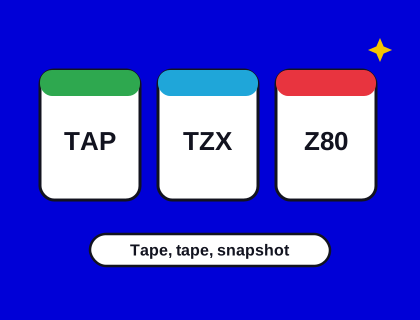
- The result is a TAP file that runs in emulators, on The Spectrum, the Spectrum Next and original hardware.
- Start small. A one-screen game that's finished beats a huge one that isn't.
- All seven games in our arcade were written in Z80 assembly with the tools described here.
Four ways to write a Spectrum game
| Route | Good for | Trade-off |
|---|---|---|
| Sinclair BASIC | Learning, text adventures, simple games | Slow; fast action games are hard |
| Game makers | Platformers and arcade games without much coding | Games share the tool's engine and limits |
| Compiled BASIC or C | Programmers who know a modern language | Bigger, slower code than hand-written assembly |
| Z80 assembly | Full speed and full control | The steepest learning curve |
Sinclair BASIC
Every Spectrum has BASIC built in, and so does every emulator. It's the friendliest place to start: type a program, RUN it, and see what happens. It's too slow for most action games, but plenty of good puzzle games and adventures were written in it.
Game makers
Tools such as Arcade Game Designer and its multi-platform successor let you design sprites, screens and enemy behaviour and produce a working game without writing much code. Others specialise in text adventures. They're an excellent way to finish a first game.
Compiled BASIC and C
Boriel's ZX Basic compiles a BASIC-like language into fast machine code. z88dk is a long-established C compiler and toolkit for Z80 computers, including the Spectrum. Both let you write in a more modern way and still get decent speed.
Z80 assembly
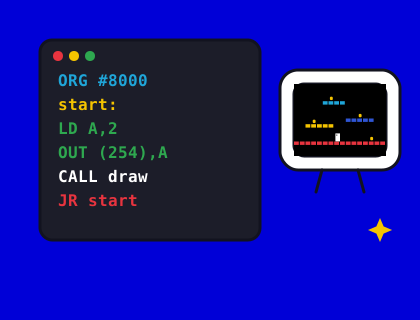
Writing in assembly language means telling the Z80 processor exactly what to do, one instruction at a time. It's how most commercial games of the 1980s were written, and how our games are written. Assemblers such as sjasmplus and Pasmo run on your PC and produce the machine code directly.
Step by step
- Pick a small idea. One screen, one rule, a score. Buzz Bee, our tap-to-flap game, is about 2.7 KB of code.
- Choose your route from the table above.
- Set up your tools. Install an emulator with a debugger (see our emulator guide) and your assembler or compiler.
- Draw the graphics with the Spectrum's colour rules in mind. Read our guide to attribute clash first: it decides how your sprites should move and what colours they can be.
- Build and test often. Make a TAP file, load it in the emulator, and play. Test on both the 48K and the 128K.
- Add sound and polish. Beeper effects for the 48K, AY music for the 128K, a title screen, a high score, and a loading screen.
- Release it. Share the TAP file. If you can, test it on real hardware too: some timing problems only show up there.
Your first program in BASIC
This tiny program moves a letter left and right with the O and P keys. Type it into Speccy or a real Spectrum, then type RUN:
10 LET x=15
20 PRINT AT 10,x;"A"
30 LET k$=INKEY$
40 IF k$="o" AND x>0 THEN PRINT AT 10,x;" ": LET x=x-1
50 IF k$="p" AND x<31 THEN PRINT AT 10,x;" ": LET x=x+1
60 GO TO 20
It's slow and it flickers, but it's a game loop: draw, read the keys, move, repeat. Every Spectrum game, including ours, is built around the same idea, just written in faster languages.
Graphics and music tools
- Graphics: editors such as ZX-Paintbrush and Multipaint enforce the Spectrum's colour rules, so what you draw is what the Spectrum can show.
- AY music: trackers such as Vortex Tracker II write music for the 128K's sound chip.
- Beeper music: specialist beeper engines and editors exist for 48K music.
What we learned writing seven Spectrum games
- Write tests that play the game. Each of our games has an autopilot that plays it through the real Sinclair ROM loaders, on the 48K and 128K, to catch bugs before players do.
- Check every level can be finished. Apocalypso! has a model of its own physics that checks every tin and exit on all 100 screens can be reached.
- Give clear feedback. If a power-up does something, say so on screen. Gemquake announces every capsule you catch.
- Support every joystick. Kempston, plus keys that cover the Sinclair and Cursor layouts, with no clashes: see our joystick guide.
- Plan for the 128K from the start if you want AY music, rather than squeezing it in later.
Where to share your game
The Spectrum community has active forums, game-development competitions every year, and archives that catalogue new releases. And if you've written a Spectrum game you'd like to see in our arcade, tell us about it. Meanwhile, read the developer diaries in our journal to see how our games were made.
Questions and answers
Can I still write new games for the ZX Spectrum?
Yes. People release new Spectrum games every year, written in BASIC, C, Z80 assembly or with game-making tools on a modern PC, and tested in emulators. Our guide shows how.